LR pixel
Hotline: From Austria +43 1 478 05 67
From Germany 0800 589 0129

🏗️ CONSTRUCTION SPECIAL

PROMAN Meeting – Protocol Software for Construction Projects

The more complex a construction project, the more important structured documentation becomes. PROMAN Meeting brings order to your construction site management – from site meetings to defect documentation. With the Cockpit, you always keep track of all projects and tasks.

📋

Site Protocols

Jour Fixe & Site Meetings

📸

Defect Documentation

Photos with Annotations

📊

Cockpit Overview

All Tasks at a Glance

🏗️ Everything Under Control!

The more complex a construction project, the more challenging it is to manage all important information clearly.

PROMAN Meeting is your decisive help – the software brings order to your project management almost automatically.

⏱️ Save up to 50% time compared to Word & Excel

📋 What is PROMAN Meeting Suitable For?

Looking for a solid foundation for managing your construction site? PROMAN Meeting supports you with:

Site Meetings & Jour Fixe
Planning Meetings
Monthly & Progress Reports
Defect Documentation & Handover
File Notes & Reports

📊 Cockpit – All Projects and Tasks at a Glance

With easy-to-use tools, you can analyze your projects yourself. The Cockpit gives you a comprehensive overview of all projects – whether tasks from protocols, reminders, or general tasks.

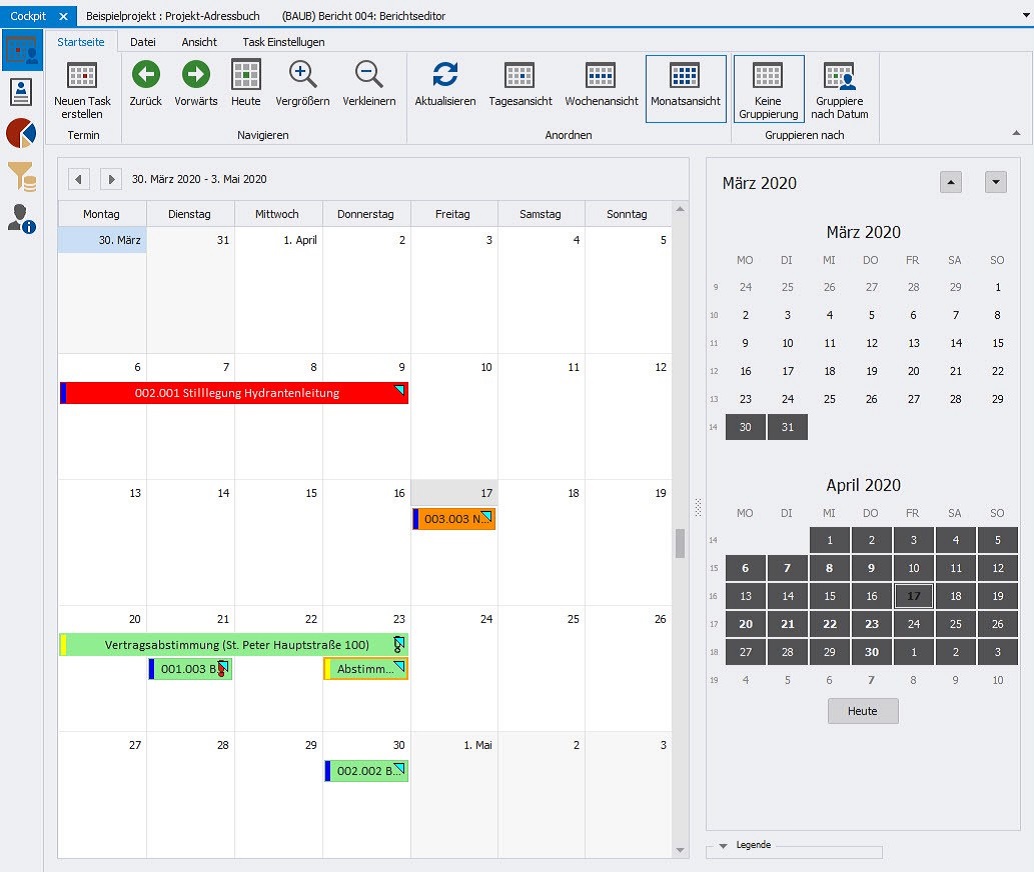
📅 Calendar View
PROMAN Cockpit Calendar View

All tasks with due dates at a glance. Filter by responsibility and keep track of deadlines.

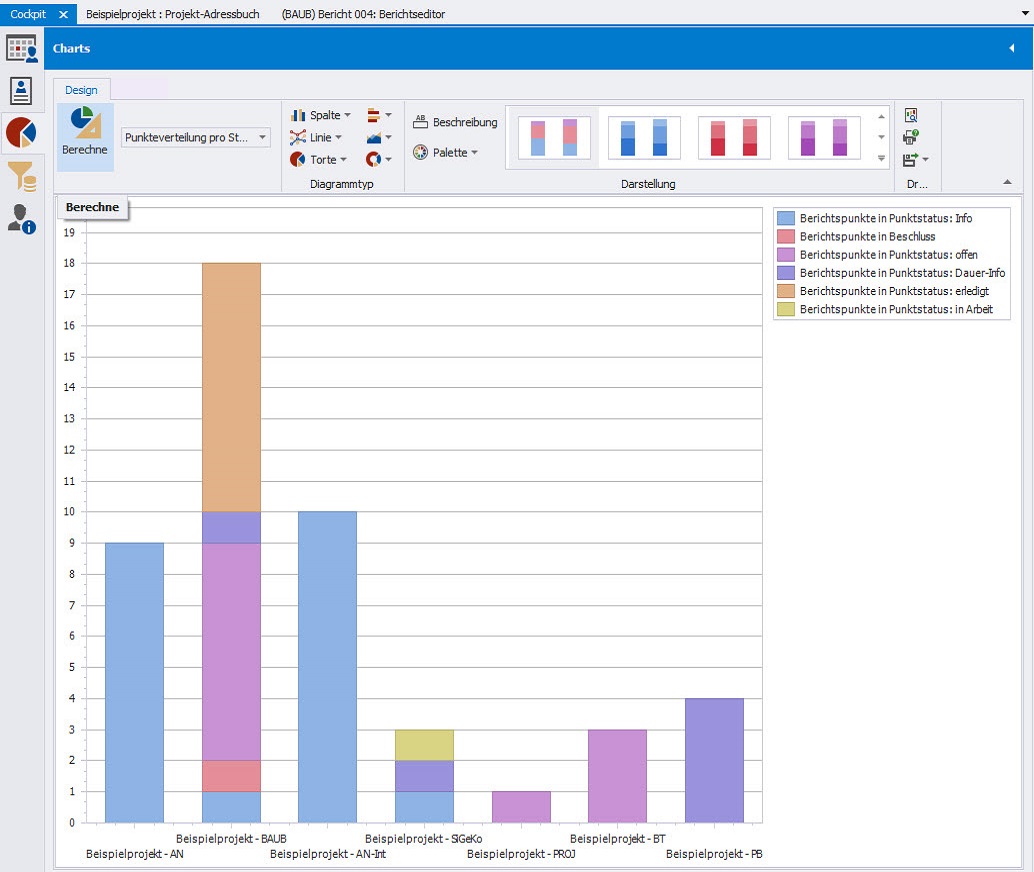
📈 Statistical Analysis
PROMAN Cockpit Charts

Automatic statistics on open tasks – without extra effort. Print and export charts as needed.

✓ Set Priorities
✓ Filter & Sort
✓ Comments & Images
✓ Attach Documents
✓ Linked Tasks

The menu offers many more settings options: set priorities, filter, and sort. This allows you to display and manage your tasks in any way you like.

Your tasks can be linked to multiple items from different tasks within the same project. Additionally, they can be supplemented with comments, images, and documents.

📊

The Cockpit Organizes Your Tasks

Saves valuable time and always provides an accurate overview of the current project status.

✓ Set Priorities
✓ Filter & Sort
✓ Add Comments
✓ Images & Documents
✓ Linked Tasks

✅ The Perfect Overview of All To-Dos

What needs to be done when and who is responsible? PROMAN Meeting answers this question with one click.

🔴

Color Highlighting

Due and overdue deadlines are color-coded – you can see immediately where action is needed.

👤

Main Responsible Persons

Clear definition and identification of responsible parties – everyone knows who is accountable.

⚠️

Follow-up Dates & Warnings

Follow-up dates are highlighted directly in the protocol – usable as official warnings.

📧

Send Open Tasks

Create lists of open tasks per person or company and send them directly via email.

💡 Tip: During meetings, you can make private notes using the comment function – e.g., reminders for the next meeting. These are only visible to you and do not appear in the protocol.

🏆 Your Practical Benefits

⚖️

Avoid Disputes

Find agreements and responsibilities immediately. Send as PDF – avoid unnecessary discussions.

💰

Document Additional Services

Use “Keywords (Attributes)” to generate all additional cost items as a report.

📸

Capture Defects

Use integrated image editing to highlight areas on photos – arrows, markings.

👥

Many Participants

Let attendees follow along via the projector view and approve content on-site.

🎓

Leave Nothing to Chance

In our tutorials, we show you step by step how easy it is to work with PROMAN Meeting – from your first project to the finished protocol.


📺 Go to Tutorials →

🚀

Try It Yourself!

15 days free • No credit card • Ready to start immediately


Start Free Demo