



Address management
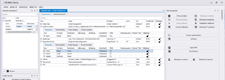
It has an easy to override visual style, and is appropriately subdued.
| Light | Premium | ||
|---|---|---|---|
Address management |
Synchronisation with Outlook | ✔ | |
| Synchronisation with MS SQL | ✔ | ||
| Synchronisation with MS Access | ✔ | ||
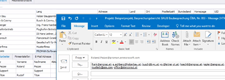
| Drag and drop from Outlook to create new contacts | ✔ | ✔ | |
| Import from Excel | ✔ | ||
| Attributes | ✔ | ||
| Export to Excel | ✔ | ||
| Export to PDF | ✔ | ✔ | |
| Advanced search options | ✔ | ||
| Sychronisation of COOR via PROMAN | ✔ | ||
|
|
|||
Taking minutes |
Taking minutes | ✔ | ✔ |
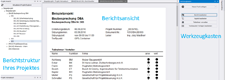
| Report view editor | ✔ | ✔ | |
| Image editing for defect management | ✔ | ||
| Save attachments directly in the database | ✔ | ||
| Subpoints | ✔ | ||
| File notes | ✔ | ✔ | |
| Continous (“endless”) report, for example Jour fixe | ✔ | ✔ | |
|
|
|||
Simple print settings |
Print settings incl. Logo | ✔ | ✔ |
| Use of layouts | ✔ * | ✔ | |
| Self-defined statuses (e.g. decision) | ✔ | ||
| * (only layouts included in the setup, no peronalised layouts) | |||
|
|
|||
Layout Editor |
Layout for title page | ✔ | |
| Layout for participant distribution list | ✔ | ||
| Layout for report structure | ✔ | ||
| Layout for chapters | ✔ | ||
|
|
|||
Custom Layouts |
Print forms developed according to customer requirements | ✔ | |
|
|
|||
Print / Export |
Export as PDF | ✔ | ✔ |
| Export as Excel | ✔ | ||
| Export as RTF (Word) | ✔ | ||
| Automatic e-mail dispatch via Outlook or MAPI e-mail client | ✔ | ||
|
|
|||
Analyses |
Analyses of reports | ✔ | |
| Project internal evaluations | ✔ * | ✔ | |
| Evaluations across projects | ✔ | ||
| * (restricted to item status and company) | |||
|
|
|||
Environments |
Database SQL CE | ✔ | ✔ |
| Microsoft SQL | ✔ | ||
|
|
|||
other funtions |
Offline work (e.g. on Laptop) | ✔ | |
| iOS and Android APP (only in connection with active maintenance), for quick processing on the go. | ✔ | ||
|
|
|||
License types |
Workstation-licence | ✔ | ✔ |
| Concurrent User License Model | ✔ | ||
|
|
|||